Toolbox

PaperWalls

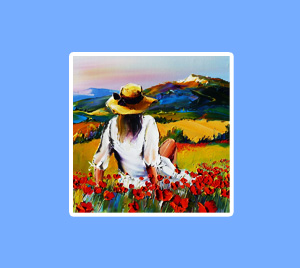
Here are the instructions to install a Christian Jequel painting as a PaperWall on the desktop of you computer :
• Choose a painting from either the gallery or the retrospective.  Open the ‘details’ link (each painting has such a link) and then click on ‘enlarge photo’
• Right click on the painting and choose ‘Set as PaperWall' (or the similar command in your browser)
• You can also save the image to your computer, then modify then changes the setting to set it as a PaperWall image.

How the Format Code of a painting and its dimensions correspond

Format Code Dimensions
5F 35x27cm (13.8x10.6 inches)
6F 41x33cm (16.1x13 inches)
8F 46x38cm (18.1x15 inches)
10F 55x46cm (21.6x18.1 inches)
15F 65x54cm (25.6x21.3 inches)
70X70 70x70 cm (25.5x25.5 inches)
80X80 80x80 cm (31.5x31.5 inches)
30F 92x73cm (36.2x28.7 inches)
40F 100x81cm (39.4x31.9 inches)
90X90 90x90 cm (35,4x35,4 inches)
50F 116x89 cm (45.7x35 inches)
60F 130x97 cm (51.2x38.2 inches)
80F 146x114 cm (57.5x44.9 inches)
100F 162x130 cm (63.8x51.2 inches)
NewsGalleryTechniqueRetrospectiveBiographyMy booksPressPatronageToolboxGuestbookContactLinks
Advanced research Send to a friend Version française
Painter of seascape Paintings of flowers Crops and Harvest Paintings Paintings of horses Paintings of musicians Paintings of rural scenes, villages and markets. Painting indoor scenes Paintings of games of boules Paintings of the grape harvest Paintings of pastoral scenes A retrospective of Christian Jequel Paintings of lavender Various paintings Paintings of rural scenes Sketchbooks Corsican painting Camargue painting Breton painting Provencal painter, painting from Provence
Dobeuliou Création sites Internet Marseille